I built my own little RAG (Retrieval Augmented Generation) app leveraging my blog’s contents. It’s embedded below – try it out! I’d love a comment about how it worked for you.
The Idea
This project was made solely so I could play with RAG. I’ve been writing in my blog since November, 2019 – admittedly, a bit sporadically, but with 43 posts over 7 years, it seemed like there should be enough content.
The RAG App I Built
A simple UI that takes a question (or other input) and answers strictly from my blog content, and says so when it can’t find a good match.
How the App Works
Claude helped me do all of the planning, and I did the building. I used Voyage AI for the embeddings, Gemini for generation, and Vercel for backend hosting. This required setting up a Github account that I could connect with Vercel, and working in the terminal.
It uses the free tier of every tool – I built the entire thing for free! Other than my time, of course.
I pulled in the WordPress posts via API. Ingestion and embedding was done as a one-off that I’ll have to rerun as I add blog posts.
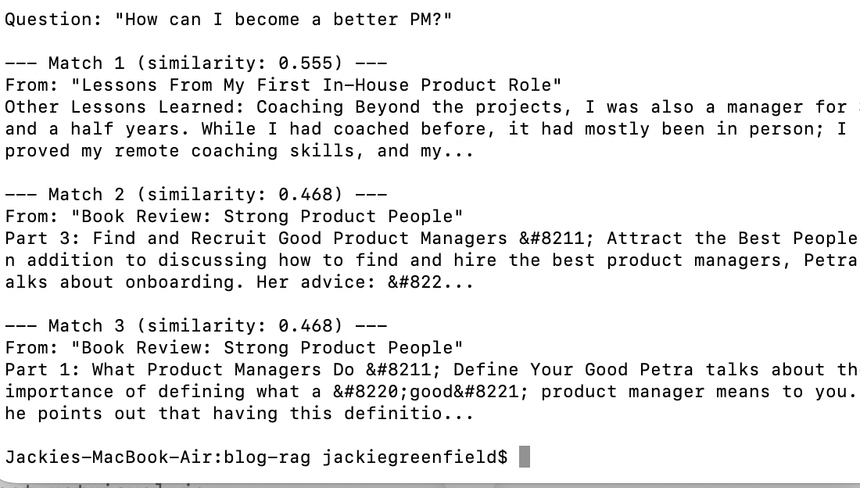
Only results with a high enough similarity are returned (.4 or higher, with closer to 1 being better).
Product Decisions
Chunking. Initially, Claude gave me three options for chunking: fixed-size chunking (~500 words per chunk), paragraph-based chunking, or fixed-size chunking with overlap between the chunks.
Knowing my content, I suggested splitting by h2 and h3 headers, as I usually leverage those in my posts.
Diversity Re-ranking. Without knowing what it was called, I asked Claude if we could ensure that at most, 2 of the 3 top returned blog answers would be from the same blog posts. This creates a trade-off, since forced diversity means that sometimes a weaker match is pulled in. I chose to make that trade-off based on some of my example questions.
Lessons Learned
Terminal Usage. This project required me to do more in the terminal than I’ve done in a while. I had to look up a few details, like how to make a file in the terminal, how to edit a file, etc. I also tested and iterated on the results from the terminal before uploading.
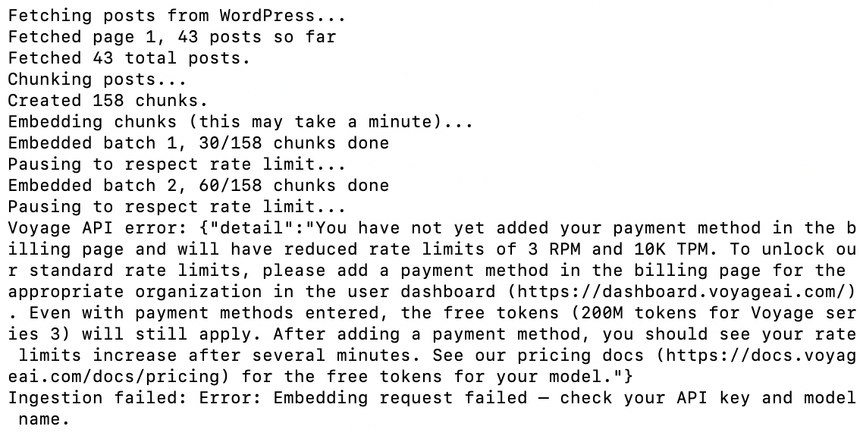
The Cost of Free. Understandably, Voyage AI puts restrictions on their free tier. Some of those restrictions were not apparent until we started running the program. First we had to shrink the batch size and add a pause between batches, then shrink the batch size further and add the ability to write to a file between batches, so we would stop losing data. (“we” here is me and Claude, who felt like a colleague on this project)
Iterating in Code. While Claude did the coding, I needed to understand the JS code fairly well; as we iterated, Claude would give me new pieces, and I had to figure out what needed to be replaced. For example, when testing the results out, sometimes all three results would be from the same post. I suggested we find a way to make it so that at least one of the results had to be from a different post. Claude gave me the updated function, and I replaced the correct section in the file.
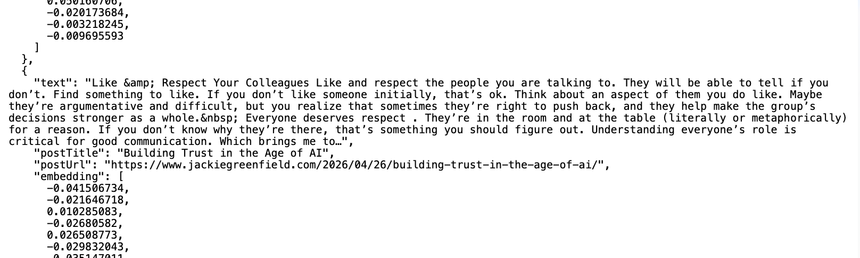
Cosine Similarity. Doing this project allowed me to understand concepts like ‘cosine similarity’ in a way that just reading about it wouldn’t do. I could see the vectors that my own copy created.
Try it out and let me know what you think!